• News
  • Film and TV
  • Music
  • Tech
  • Features
  • Celebrity
  • Politics
  • Weird
  • Community
  • Advertise
  • Terms
  • Privacy & Cookies
  • LADbible Group
  • LADbible
  • SPORTbible
  • GAMINGbible
  • Tyla
  • UNILAD Tech
  • FOODbible
  • License Our Content
  • About Us & Contact
  • Jobs
  • Latest
  • Topics A-Z
  • Authors
Facebook
Instagram
X
Threads
TikTok
YouTube
Submit Your Content
PS5 owners urged to change two settings in order to fix common issue with their controllers

Home> Technology

Published 12:11 17 Jan 2024 GMT

PS5 owners urged to change two settings in order to fix common issue with their controllers

These simple changes could hugely improve your gaming experience

Lucy Devine

Lucy Devine

google discoverFollow us on Google Discover

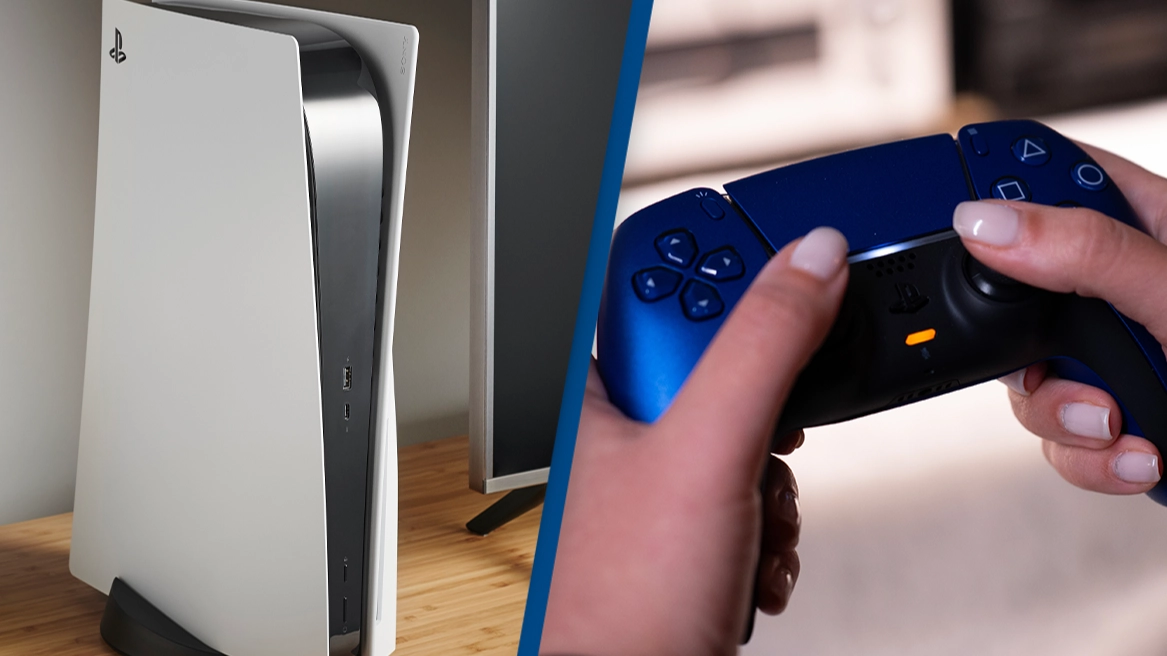
Changing two settings on your PlayStation 5 controller could dramatically improve your gaming experience.

PS5 owners are being encouraged to check two simple settings on their DualSense controllers, in order to make gaming as seamless and enjoyable as possible.

While altering your settings is of course, totally optional, just a few simple changes can help prevent lagging and ensure you're uninterrupted while gaming.

And who wouldn't want that?

Advert

Every PS5 owner will know how annoying it is when the DualSense controller runs out of juice.

While there's always the option of plugging it in, most gamers will agree it's best to play wirelessly. Now, there's a way of making the charge last longer.

According to the US Sun, there are some simple ways of boosting your DualSense battery life, and they couldn't be easier to implement.

A few simple changes could make a big difference.
NurPhoto/Getty Images

First, set the controller to automatically switch off when it's not being used. This can be done by heading into Settings, selecting 'System' and then 'Power Saving'.

You can also ensure your mic is muted to stop it from constantly being on in the background and draining your battery.

While these two changes should make a significant difference to your controller's battery life, you can boost it even further with one extra change.

The changes should make a significant difference to your controller's battery life.
SOPA Images/Getty Images

Reducing the intensity of the haptic feedback will also help.

You can do this by heading to the Control Center, selecting 'Accessories' followed by 'DualSense Wireless Controller'.

Then, select 'Controller Settings', followed by 'Vibration Intensity' and finally, 'Trigger Effect Intensity'.

While the PS5 console offers a brilliant experience regardless, altering your settings ever so slightly can make a big difference.

To have your games looking their absolute best, you can also change some settings on your console.

You'll first need to understand whether your telly supports HGiG or not.

Tom's Guide explains that if your TV does support it, it's better to enable HGiG - which stands for HDR Gaming Interest Group - in order to 'get the most accurate tone mapping in games that support the feature'.

According to Tom's Guide, you can leave the setting on and it shouldn't affect other games - ie ones that don't support HGiG.

Once HGiG is enabled, you can then go to 'Adjust HDR'. You'll then need to follow the on-screen instructions to calibrate the HDR.

Featured Image Credit: Phil Barker/Future Publishing via Getty Images via Getty Images/Nikos Pekiaridis/NurPhoto via Getty Images

Topics: PlayStation, PlayStation 5, Technology, Gaming

Lucy Devine
Lucy Devine

Advert

Advert

Advert

Choose your content:

14 hours ago
a day ago
2 days ago
  • Getty Stock
    14 hours ago

    iPhone 17 Pro Max becomes most traded-in smartphone as people say they 'regret' buying it

    The iPhone 17 Pro Max may be Apple’s latest flagship, but it’s quickly becoming the most traded-in iPhone on the market.

    Technology
  • Getty Images/d3sign
    a day ago

    Change your password immediately if AI created it, cybersecurity experts warn

    The 'secure' passwords generated by AI may be putting your personal data at risk

    Technology
  • Getty Images/Alex Wong
    2 days ago

    Amazon employee shares insight into Jeff Bezos' intense 'Loop' interview process

    Amazon's 'interview loop' is the challenging final round a candidate must complete before being offered a job.

    Technology
  • All About Space/Tobias Roetsch/Future Publishing via Getty Images
    2 days ago

    Planetary scientist admits city-killer asteroids keep her 'up at night' as NASA can't stop them

    It comes as an asteroid has a 4 percent chance of colliding with the Moon this week

    Technology
  • PlayStation 5 owners urged to change two settings in order to fix common issues with their controllers
  • Olympic champions urged to return their medals after they pointed out serious issue
  • Apple users urged to check their iPhone settings immediately after concerns of 'extremely sophisticated attack'
  • Kindle owners urged to send in their old devices by the end of the year