unilad homepage
unilad homepage
    • News
      • UK News
      • US News
      • World News
      • Crime
      • Health
      • Money
      • Sport
      • Travel
    • Music
    • Technology
    • Film and TV
      • News
      • DC Comics
      • Disney
      • Marvel
      • Netflix
    • Celebrity
    • Politics
    • Advertise
    • Terms
    • Privacy & Cookies
    • LADbible Group
    • LADbible
    • SPORTbible
    • GAMINGbible
    • Tyla
    • UNILAD Tech
    • FOODbible
    • License Our Content
    • About Us & Contact
    • Jobs
    • Latest
    • Archive
    • Topics A-Z
    • Authors
    Facebook
    Instagram
    X
    Threads
    TikTok
    YouTube
    Submit Your Content
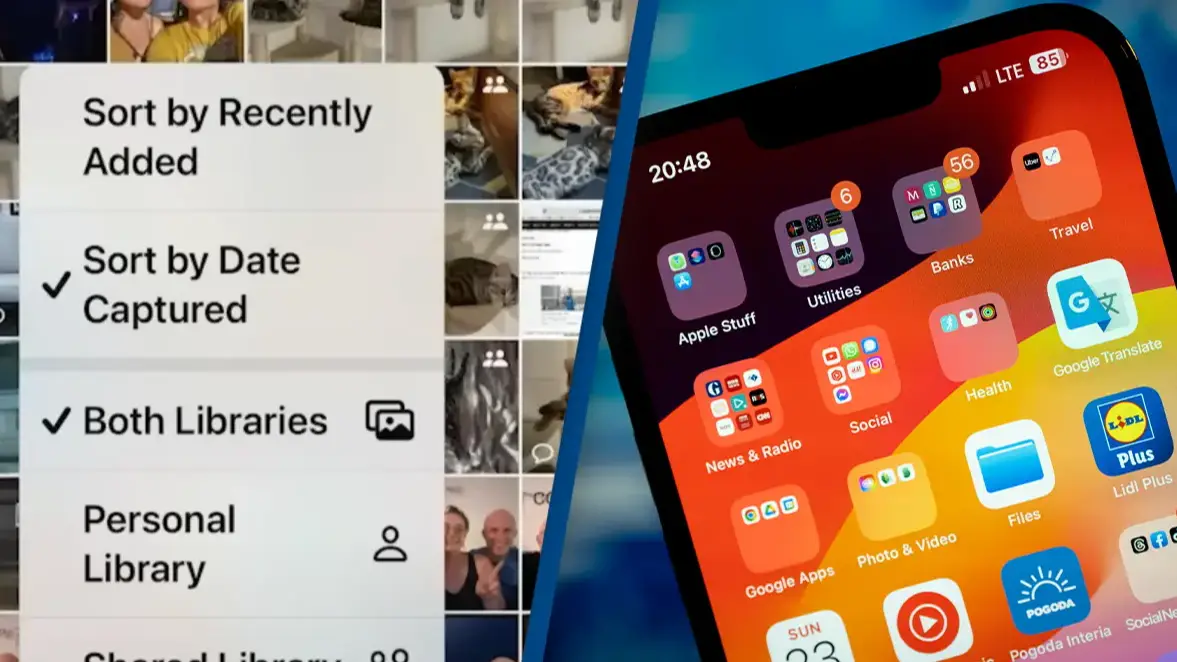
    How to change iPhone photo app back to 'normal' after users complain about 'horrible' iOS update

    Home> Technology

    Published 13:29 2 Dec 2024 GMT

    How to change iPhone photo app back to 'normal' after users complain about 'horrible' iOS update

    iPhone users have claimed they're spending much more time trying to find photos after the new update

    Emily Brown

    Emily Brown

    google discoverFollow us on Google Discover
    Featured Image Credit: YouTube/The MacWhisperer Academy/Jaap Arriens/NurPhoto via Getty Images

    Topics: Apple, iPhone, Technology, YouTube

    Emily Brown
    Emily Brown

    Emily Brown is UNILAD Editorial Lead at LADbible Group. She first began delivering news when she was just 11 years old - with a paper route - before graduating with a BA Hons in English Language in the Media from Lancaster University. Emily joined UNILAD in 2018 to cover breaking news, trending stories and longer form features. She went on to become Community Desk Lead, commissioning and writing human interest stories from across the globe, before moving to the role of Editorial Lead. Emily now works alongside the UNILAD Editor to ensure the page delivers accurate, interesting and high quality content.

    Advert

    Advert

    Advert

    If Apple's latest iOS update has left you feeling like you can't even look at pictures on your own phone, some tech-savvy heroes have come to the rescue with tips on how to make iPhone's Photos more like the app you're used to.

    It's been a few days now since Apple released its iOS 18.1.1 update, following the original new iOS 18 launch in September, and in that time countless iPhone users have shared their frustrations and complaints over some of the changes made to their phones.

    One particular point of contention is the Photos app, which has undergone changes that Apple assured would allow users to 'spend less time searching and more time enjoying your memories'.

    Advert

    Photos are now organized by topics like 'Recent Days, Trips, People & Pets', and pinned collections to allow users to quickly find albums that are more important.

    However, not all users are convinced by the new look, with one writing on Twitter: "I swear I spend five minutes searching for folders and favorites."

    Another responded to say the changes were 'beyond horrible'.

    Many iPhone users are not happy with the new update (X)
    Many iPhone users are not happy with the new update (X)

    Luckily, Apple has assured that the app can be customized, and iPhone users such as YouTuber The MacWhisperer Academy have shared tips on how that feature can be utilized to make the new app more like the old version.

    'Pull down' on your photo library

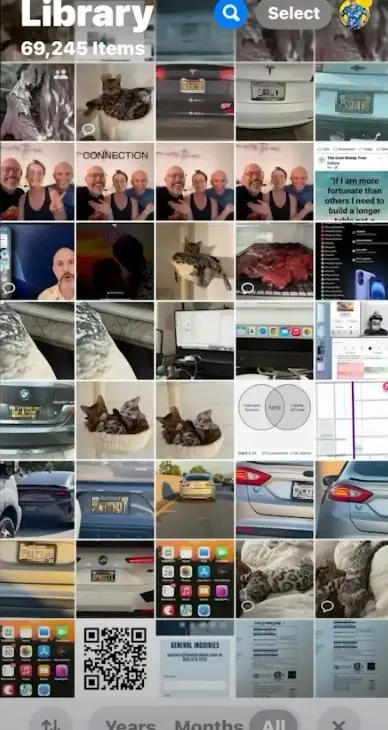
    The new Photos update means that the app opens up to a page which is half filled with the regular photo library, and half taken up by collections such as 'trips'.

    However, if you scroll down on the page, the collections section disappears to reveal more of your photo library, making it look more like the old version of the app.
    The new photos app has been hit with criticism (YouTube/The MacWhisperer Academy)
    The new photos app has been hit with criticism (YouTube/The MacWhisperer Academy)

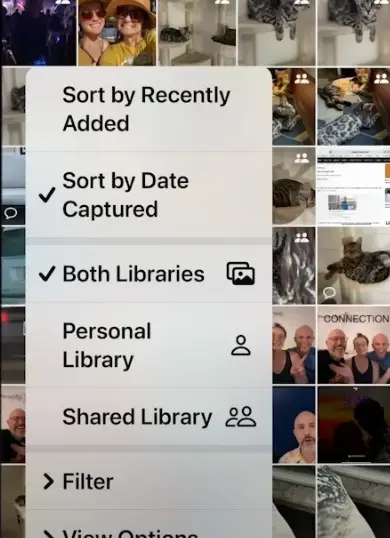
    Distinguish between 'date captured' and 'recently added'

    We're used to seeing the most recent photos we've taken right at the start of our photo library, but not every 'recent' photo is one that was captured in the last few days.

    You might be putting together a throwback birthday collage for a friend, or feeling nostalgic and want to import photos from years ago onto your phone.

    However, if your photos are arranged by 'date captured', these images will disappear into the back catalogue, hidden by the date and year they were taken.

    To make sure everything you've recently uploaded to your photos is at the forefront of your app, hit the arrows button on the bottom left of the screen and click 'recently added'.
    Scrolling down on the app can make all of your photos appear (YouTube/The MacWhisperer Academy)
    Scrolling down on the app can make all of your photos appear (YouTube/The MacWhisperer Academy)

    Reorder your Photos home screen

    As well as scrolling down on the home screen to reveal more of your photo library, you can customize the home page of the app by scrolling all the way to the bottom and clicking 'customize and reorder'.

    This button allows users to hide any sections from the home screen that might not be useful, for example 'Featured Photos' or 'Wallpaper Suggestions'.

    You can also rearrange the sections to put those that are most useful to you at the very top.

    iPhone users have praised those who have shared tips to make the app less complicated, with one person commenting: "OMG...thank you, I was going nuts trying to figure out all the changes!!!!!!!"

    Another added: "WOW - it's almost like they want it to be easy, but forget to tell us HOW TO make it easy! THANK GOOOOOODNESS for the MACWHISPERER!!!!!"

    Choose your content:

    4 hours ago
    5 days ago
    8 days ago
    10 days ago
    • Getty Stock Images
      4 hours ago

      Man who used AI to apply to 1,000 jobs while he was sleeping woke up to mind blowing results

      Work smart, not harder has taken on a whole new meaning

      Technology
    • Justin Sullivan/Getty Images
      5 days ago

      OpenAI names 22 industries at risk of job losses as it proposes four day week

      Two new reports suggest AI might be coming for your job - but you could also get a three day weekend

      Technology
    • Kayla Bartkowski/Bloomberg via Getty Images
      8 days ago

      Congressman Tim Burchett claims he has seen UFO footage that ‘defies logic’

      Tim Burchett says he has seen UFO footage that couldn't be man made - and he wants answers from the government

      Technology
    • NASA/JPL-Caltech/MSSS
      10 days ago

      NASA's Curiosity rover makes groundbreaking discovery that suggests Mars can support life

      An expert has claimed the new reveal 'increases the prospect that Mars offered a home for life in the ancient past'

      Technology
    • All of the iOS 26.4 new features that iPhone users need to know about
    • iPhone users warned to do five things before upgrading to controversial iOS 26
    • How iPhone users can turn off four of the most controversial features after updating to iOS 26
    • Apple issues urgent warning to all iPhone users over emergency security update after targeted attack